
August 2024 | Joe Goodacre | Flatiron School
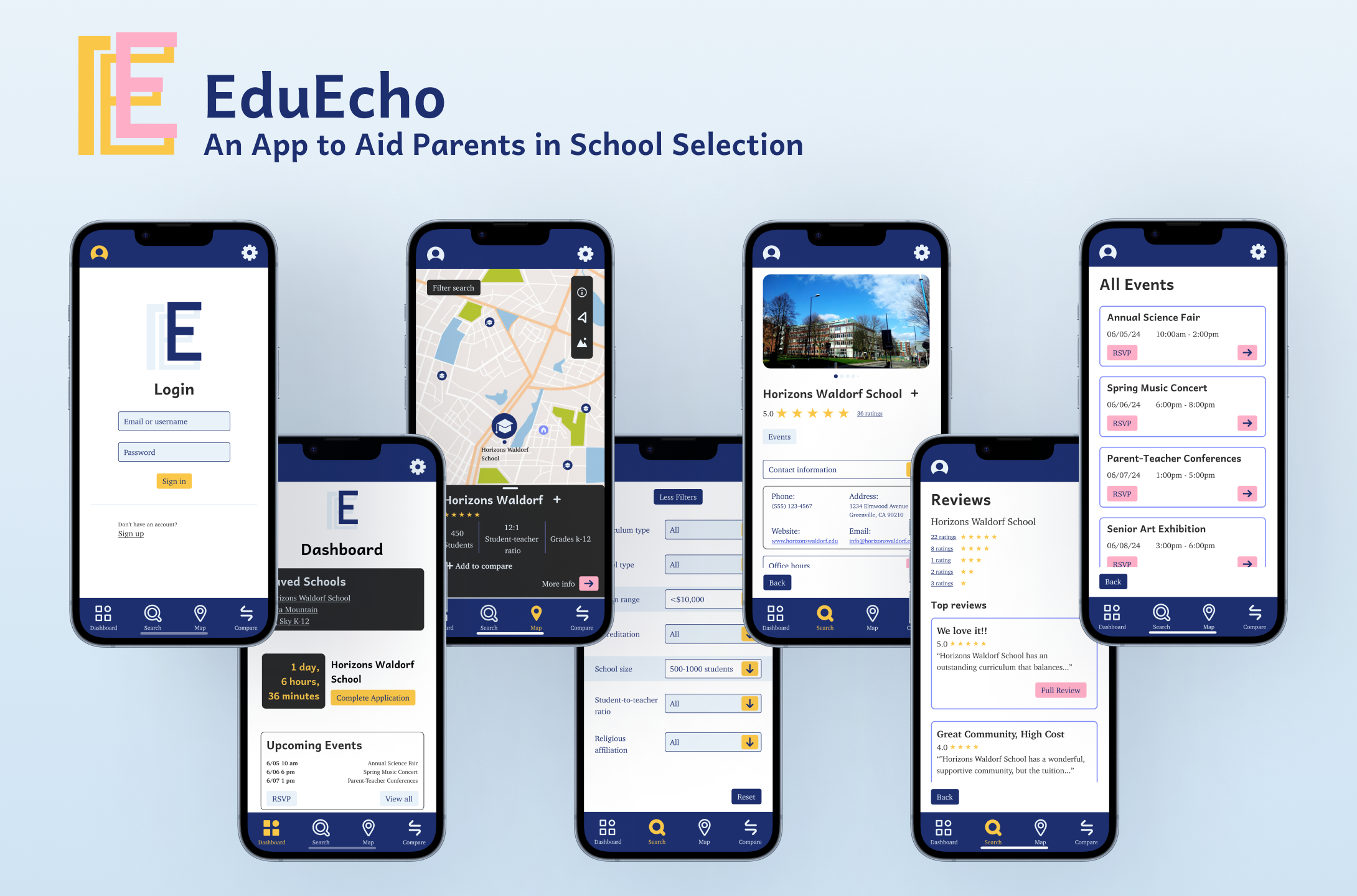
Disclaimer: This project was conducted through the Flatiron School product design program and the design brief was given to me to replicate a company in the real world.
Problem Statement
Parents or legal guardians with busy personal lives in search of private schools for their children need a tool to inform, organize, and simplify their school search in order to make a logical and informed decision on the best school for their child.
Research, Usability Testing, and Prototyping
I was involved with every stage of the design process, working entirely on my own aside from peer feedback.
User Interviews: Working With Gut Reaction
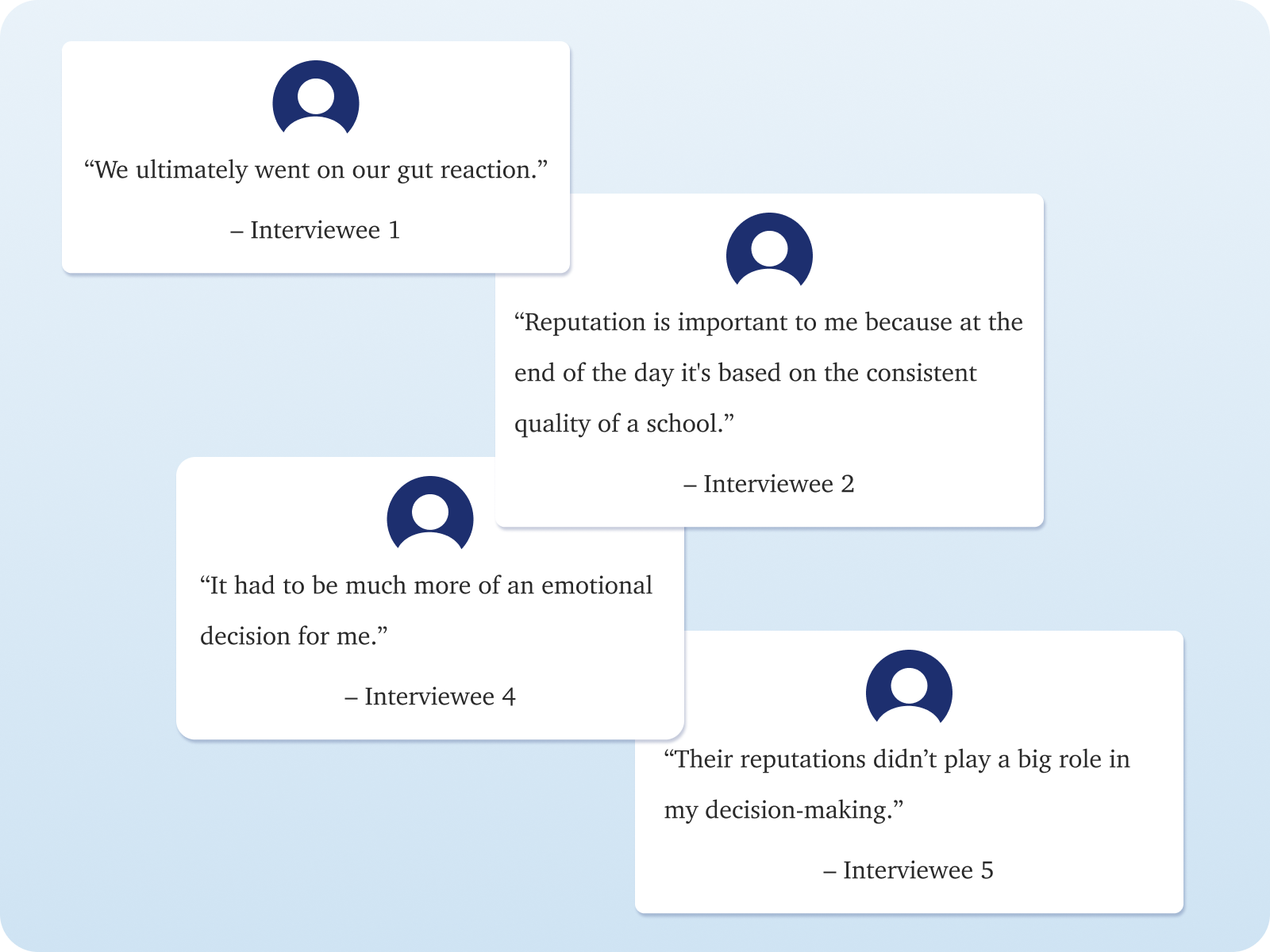
Upon analysis of user interviews, I saw a pattern of intuition and gut reaction playing into their decision making. Recognizing that each user researches schools differently, this product would not serve as a way to influence decisions but to inform users on any information they desire without overloading them with information. I established the features to prioritize in the product that would allow users to conduct their research using their preferred methods.
Designed Low-Fidelity Prototype Flows for Task Scenarios
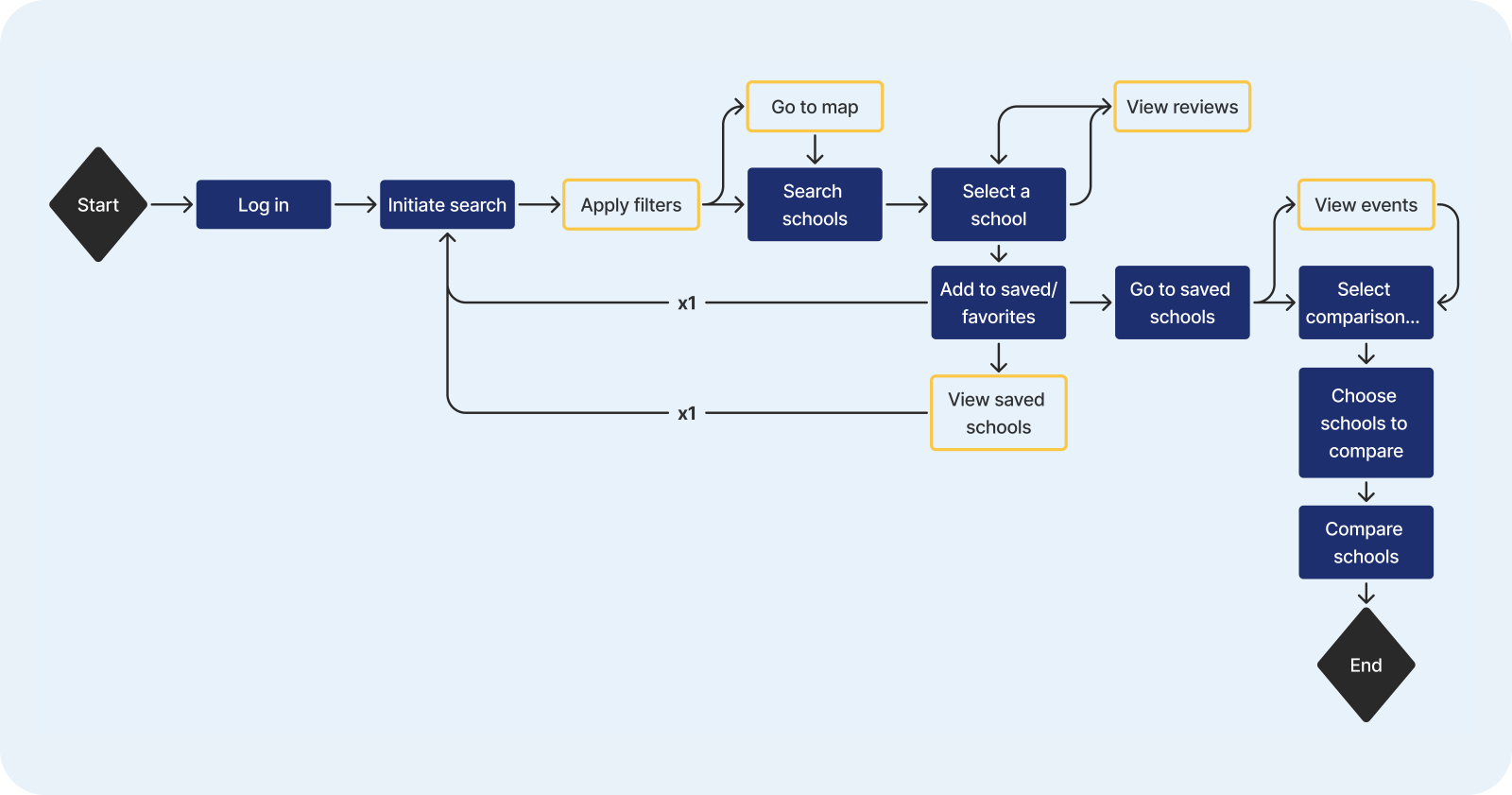
Using the knowledge from the user interviews, I created three low-fidelity prototype flows to be given to users to complete the task scenarios of comparing two schools, searching for events, or using the map tool. I performed remote usability tests with five participants with retrospective probing to identify pain points and confusion.
Usability Testing Requiring Me To Redesign
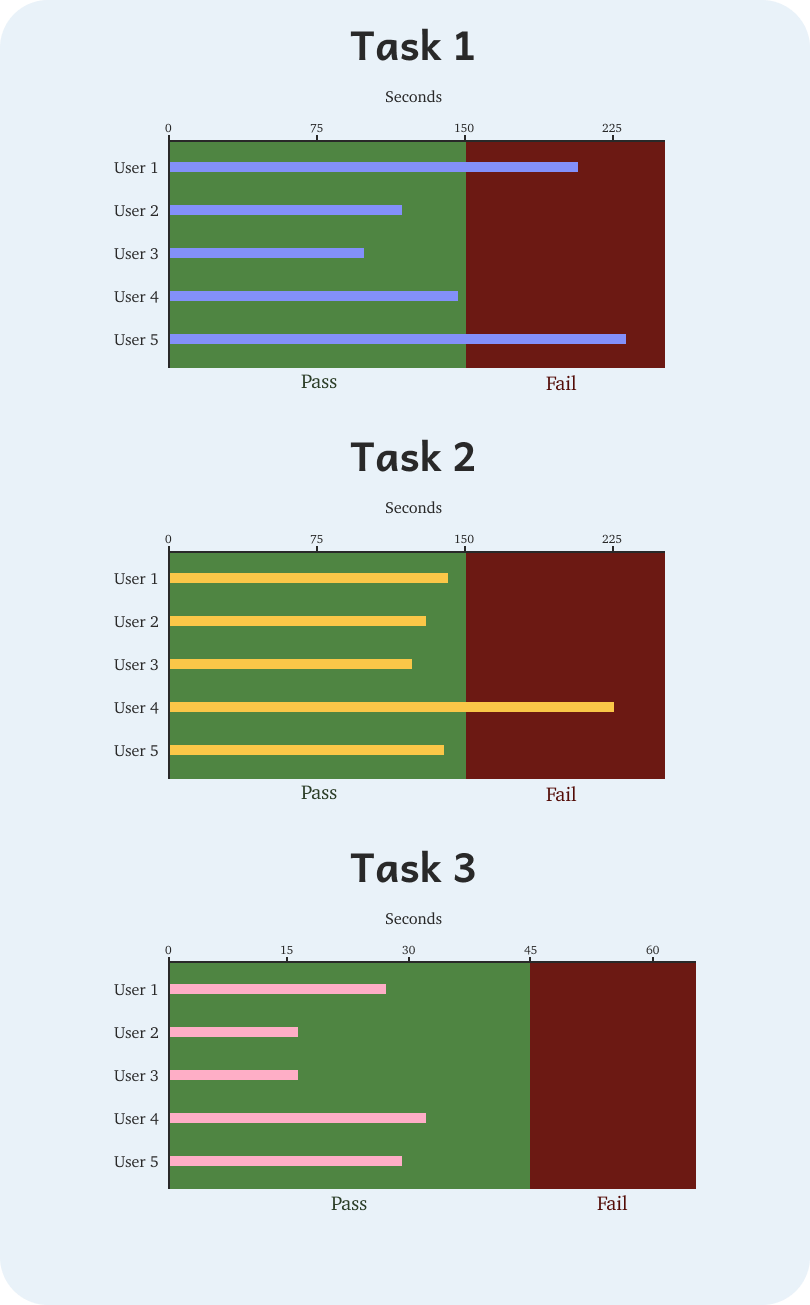
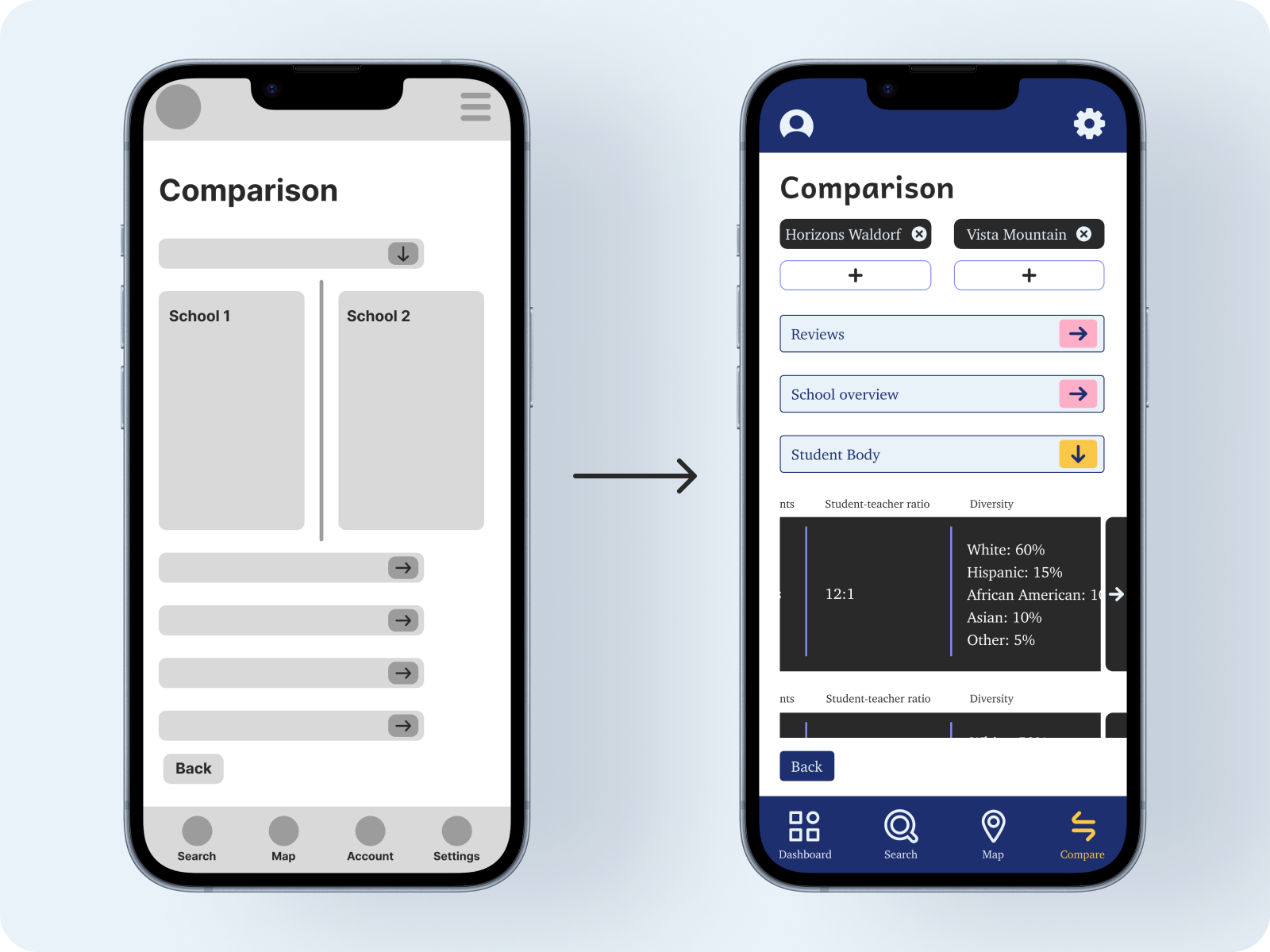
The usability tests were designed to test if the user could complete the task, the time it took to complete the tasks, and the amount of errors paths that were taken. Through analysis of the test results, it was revealed to me that the comparison and map tools needed modifications to simplify and personalize usage.
Refined App Layout Based on Usability Test Feedback
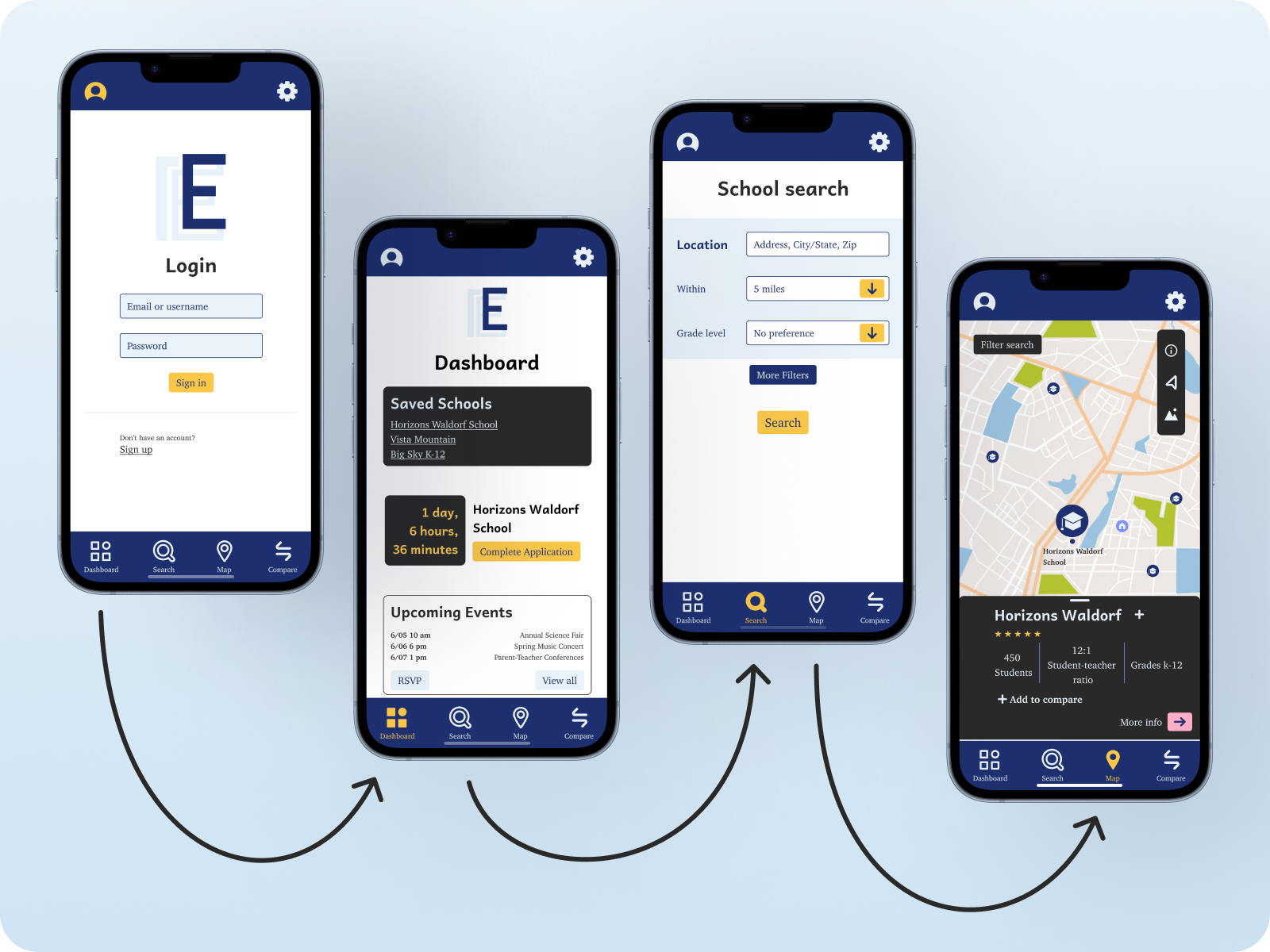
The results from the usability tests revealed a lot of interface confusion, informing me on how to rearrange pieces of the app to reduce user confusion. One of the largest changes was the optional login allowing users to access the majority of the product’s tools without having to create an account. In addition, the bottom app bar was changed to display the most prominent tools a user might need.
Completed High-Fidelity Prototype
The project has been completed with the completion of the high-fidelity prototype although there is always potential for more usability testing to further improve the user experience.
 Joe Goodacre